
Arrange and show icons separate (Not stacked) on the Taskbar.
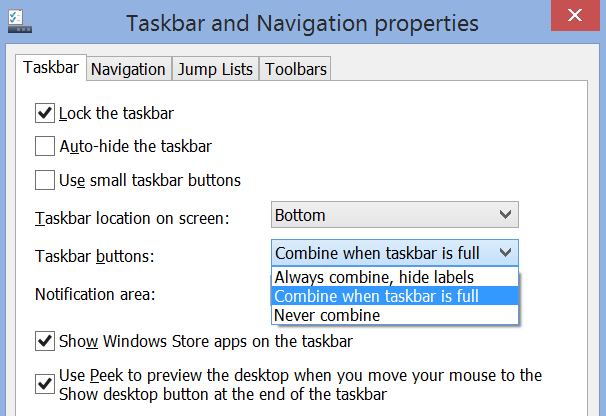
To update the properties on the Taskbar, right click on the task bar
- Select >Properties
- Select >Taskbar Tab located on top (Taskbar and Navigation Properties box)
- Select “Taskbar Buttons:” drop down, select “Always combine, hide labels”
- Click Apply button
- Click Ok button
The clip below shows each icon separate and not stacked.
